eobdtool

eobdtool
VVDI MB Key Tool
Showing posts with label VVDI-Prog. Show all posts

8/30/2015

Xhorse VVDI2 VVDI II vs. Xhorse VVDI Prog Programmer

Xhorse Tech has newly released two powerful OBD tools: VVDI Prog and VVDI 2. What’s the difference between VAG Vehicle Diagnostic Interface VVDI2 and VVDI-Prog?

VVDI2 diagnostic & programming interface


VVDI-PROG programmer:


Major difference:
(detail comparison, please check table below)


VVDI 2 is the update version for VVDI (Item number SV30), it inherited VVDI all features, mainly used to diagnose, programming ECU and keys and so on. VVDI2 added other features:

VVDI2=VVDI options + BMW Multi Tool options+Porsche options+J2534(free)+ Tango(free)+Remote control generation(free).....more other function

While VVDI prog is a newly developed ECU programmer mainly for EEPROM ECU, MCU programming and pin code calculation.

VVDI PROG=BMW ISN READ+EERPOM read)+(mcu read MOTO 9S12,5M48****)+PIN Code Calculation(more pin coder Algorithm ,than 40 type)

In short, VVDI 2 is a comprehensive OBD tool for diagnose and programming (program ECU and program keys). VVDI Prog turns to be an car ECU programmer.

What’s the difference of the VVDI 2 and VVDI Prog?

Item
VVDI 2
VVDI Prog V2.1.0
Update
Update online
Update online
Language
English only
English/Chinese
Function
Diagnose
Odometer correction
ECU programming
Key programming
Key learn
Etc
Program EEPROM
Program MCU
Program ECU
Pin code calculation


Operating system
Windows XP/Windows 7
Price
€2,110
€385


8/26/2015

Xhorse VVDI Prog read VW 44 IC EEPROM


Xhorse VVDI Prog V2.1.0 programmer read VW 44 IC EEPROM


Xhorse VVDI Prog and VVDI 2 Video

1.vvdi2 and vvdi pro ADD bmw cas4+ key

https://www.youtube.com/watch?v=ywSfqhqyH9Y

2.VVDIPRO PIN computing functions

https://www.youtube.com/watch?v=eLOjcH0zdng

VVDI Prog vs. Xprog M vs. R250 vs. R270 vs. Orange

VVDI Prog vs. Xprog M (XP Prog)vs. R250 vs. R270 vs. Orange

Difference among these ecu tuning box programmers,Xhorse VVDI-prog, Xprog-M ECU box, BMW CAS R250, BMW CAS R270/R270+ etc, check table below


From the table comparison above, it is easily to see the VVDI Prog V2.1.0 programmer is a better replacement.

2015 Original Xhorse VVDI Prog V2.1.0 verified working

VVDI Prog 2.1.0 programmer is verified working. Original VVDI-Prog is the new powerful programmer developed by X-horse Tech. 


What’s VVDI Prog programmer?

VVDI PROG=BMW ISN READ+EERPOM read)+(mcu read MOTO 9S12,5M48,,,,)+PIN CODER Calculation(more pin coder Algorithm ,than 40 type)

Software Version: V2.1.0
Language: English/Chinese
Update: online


Hardware:


VVDI Prog super programmer advantages:

1. Original Xhorse product, hardware is well built. It has STarm and LPT port used for ICP, not for linking with pc.
2. 35080, 080D0, 160D0, erase quickly,erase Can be done in 10 s.
3. While reading MC9S12 series Chips, VVDIProg is more stable than Xprog-M ECU box.
4. While attacking MC9S12 series Chips, VVDIProg is faster.
5. While reading some EEPROM Chips, Orange are not able to recognize Chips.
6. Spared voltage attack function can be used when needed.
7. Spared CAN Cable, K-Line Cables can be used when needed.
8. Read CAS4 (5m48) will be more stable than XProg, faster and faster.


VVDI Prog Function List:

VVDI Prog vs. Xprog M (XP Prog) vs. R250 vs. R270 vs. Orange
 

VVDI Prog Package:
1pc x VVDI Prog Programmer multiplexer    
1pc x Square USB cable   
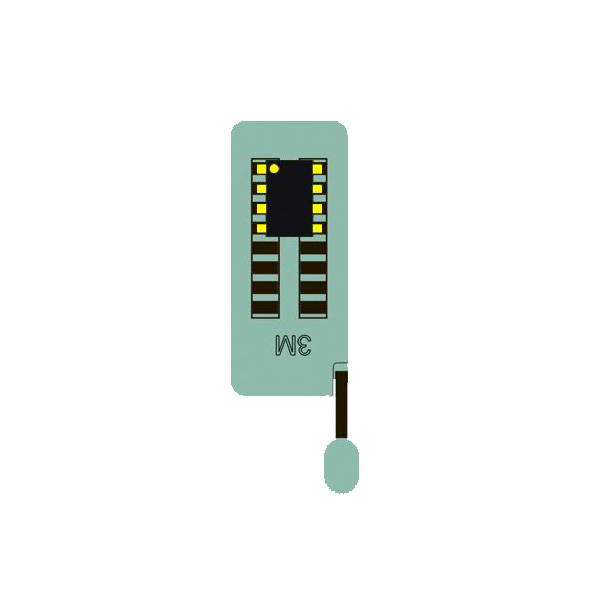
1pc x SOP16 test socket      
1pc x 16pin converter(Support SOP/SOT/SSOP)
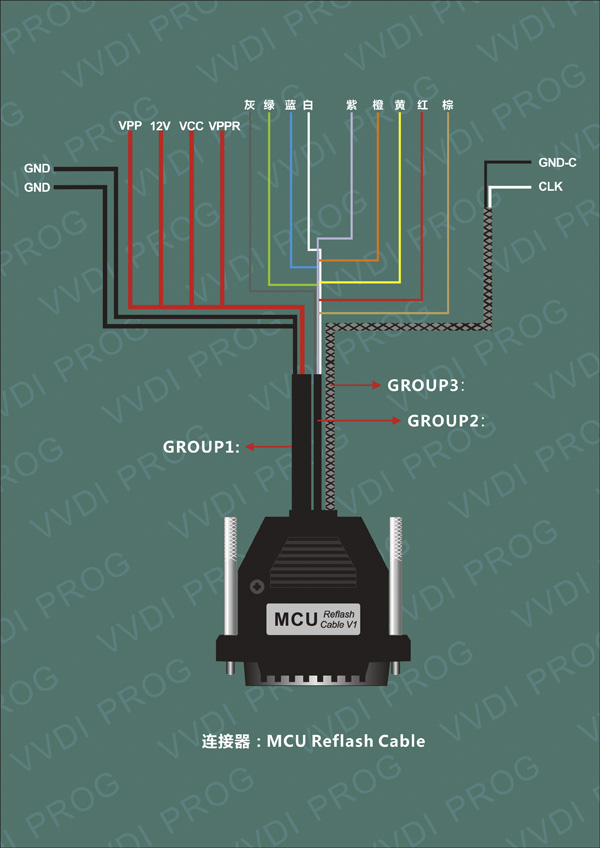
1pc x MCU reflash cable               
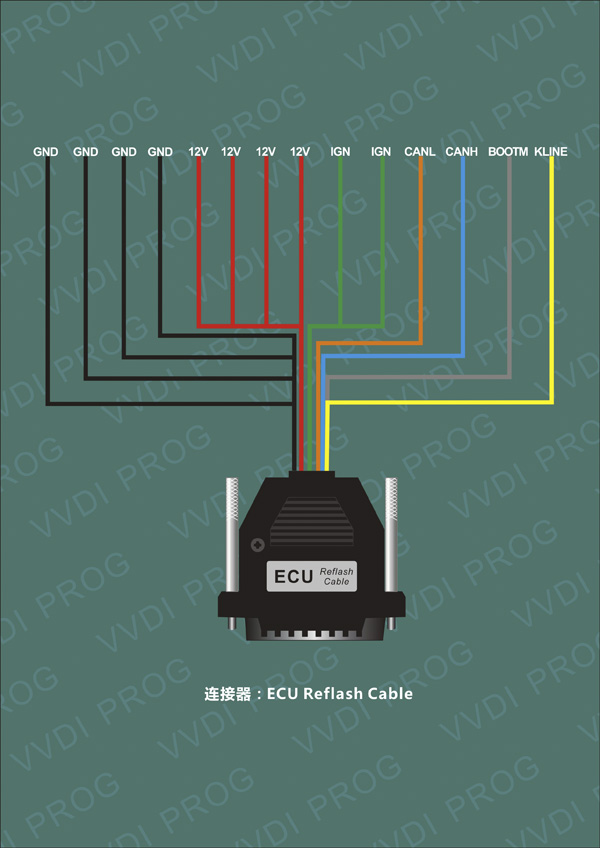
1pc x ECU reflash cable 
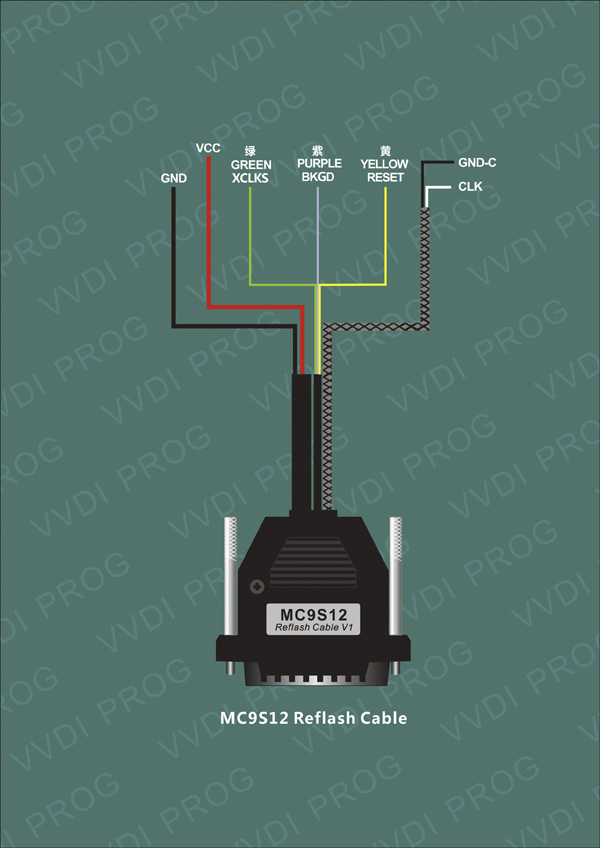
1pc x MC9S12 reflash cable(Used to program MC9S12 series chip)
1pc x 12V3A power adapter(High quality power supply)


VVDI-Prog Adapters/Connectors:

16-pin locking socket 

 MCU Reflash cable
Used to program MCU on board

ECU Reflash cable
Used to program ECU
MC9S12 Reflash cable 
Used to program MC9S12 series chip


For detail EEPROM, ECU, MCU list, please check eobdtool.co.uk webpage. The VVDI Programmer is now available in our shop at the price of €385.00

How to install Xhorse VVDI Prog V2.1.0 software

Xhorse VVDI Prog ECU programmer 2.1.0 is developed to program multi vehicle EEPROM, MCU and ECUs. VVDI-Prog adds  pin code calculation functions for multi-brand vehicle models as well. Here is the instruction on installing V2.1.0 VVDIPROG software step-by-step. 

Free download VVDIProg 2.1.0 software driver

Software version: V2.1.0 
Language: English/Chinese
Operating system: Windows XP


How to install VVDIProg 2.1.0 software?
1) Install VVDIPROG software driver 
2) Run VVDI Prog software and start programming


1) Install VVDIProg 2.1.0 driver

Insert DVD to computer
Open My Computer
Open VVDIProg2.1 (E:) DVD
Copy and paste VVDIProg folder to desktop
Connect the VVDI prog programmer with computer via USB port
Wait the system to found hardware wizard
Select “Install from a list of specific location (Advanced)”, click “Next

Include this location in the search C:/Documents and
Settings/Adminnistrator/Desktop/VVDIProg/driver/ft232, click “OK” and “Next

Click “Finish
Install driver follow the previous instructions again
Select “Install from a list of specific location (Advanced)”, click “Next
Click “Next
Click “Finish”


Open My Computer>>Manager>>Device Manager>>Ports>>USB Serial Port (COM4) to check well communication is built 


2) Run VVDIPROG V2.1.0 software

Open VVDIProg folder on desktop

Click “Language” tab to exchange language between English and Chinese 

Select ECU type and chip type from the list
The VVDIProg software will prompt which cable/connector is going to be used 

Click “Connection diagram” button
Click “New” tab
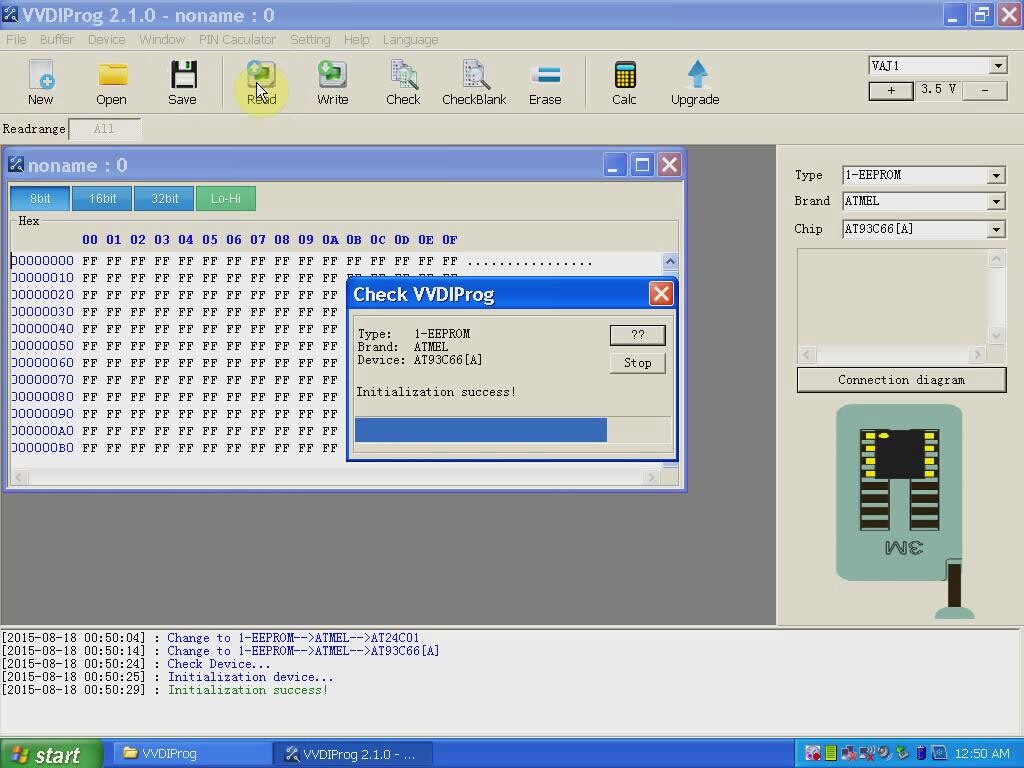
Click “Read
The software will display EEPROM data 

Click “Save”, save the bin file to desktop and name it 93c66, click Save 

Create a new window
Select other ECU type and chip type
The system will also prompt which cable is about to use and the detail diagram 

Select other functions and follow the system prompts.